1
Fork a response
Use the Fork control beside the part of a ChatGPT answer you want to explore.
Ask follow-up questions without losing your main conversation. Explore a tangent, keep the context, and bring the useful result back when you’re ready.
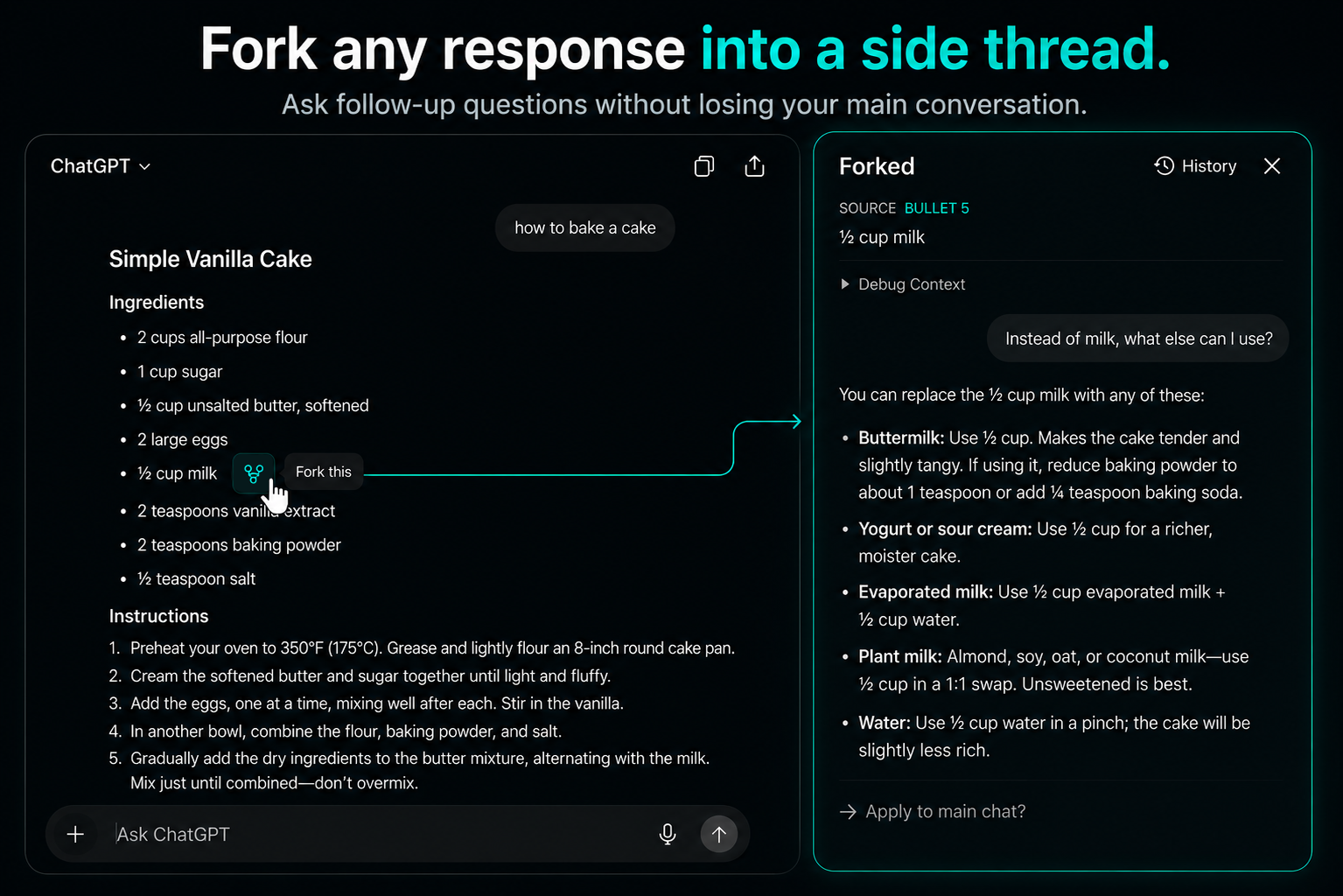
Keep your main conversation clean while you investigate details in a focused side thread.
Use the Fork control beside the part of a ChatGPT answer you want to explore.
Ask follow-up questions in a side thread grounded in the selected context.
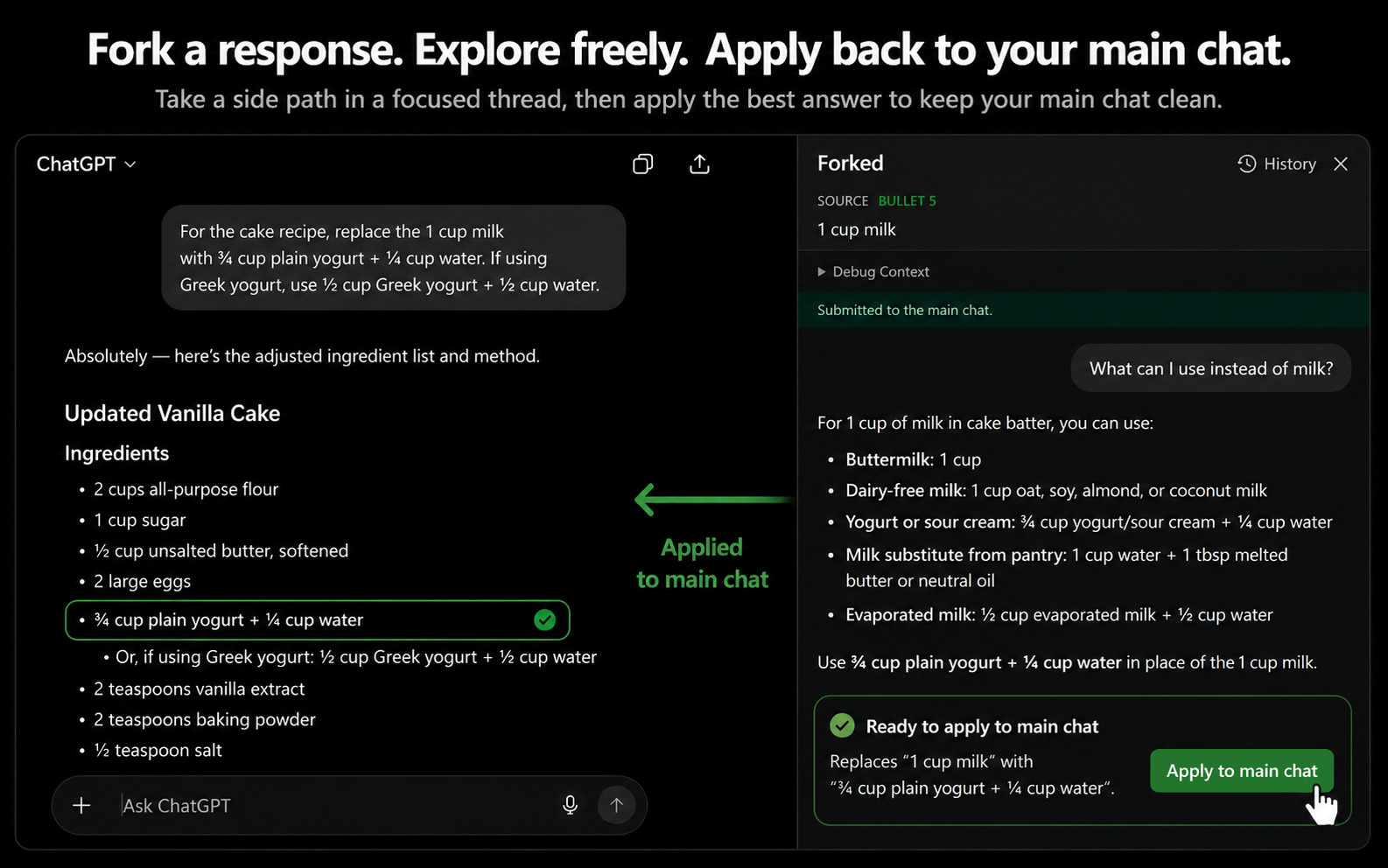
When the side thread reaches a useful result, apply it back to your main conversation.
Explore freely without cluttering the original chat. Once you reach the answer you want, ChatGPT Fork lets you carry that result back into the main conversation.
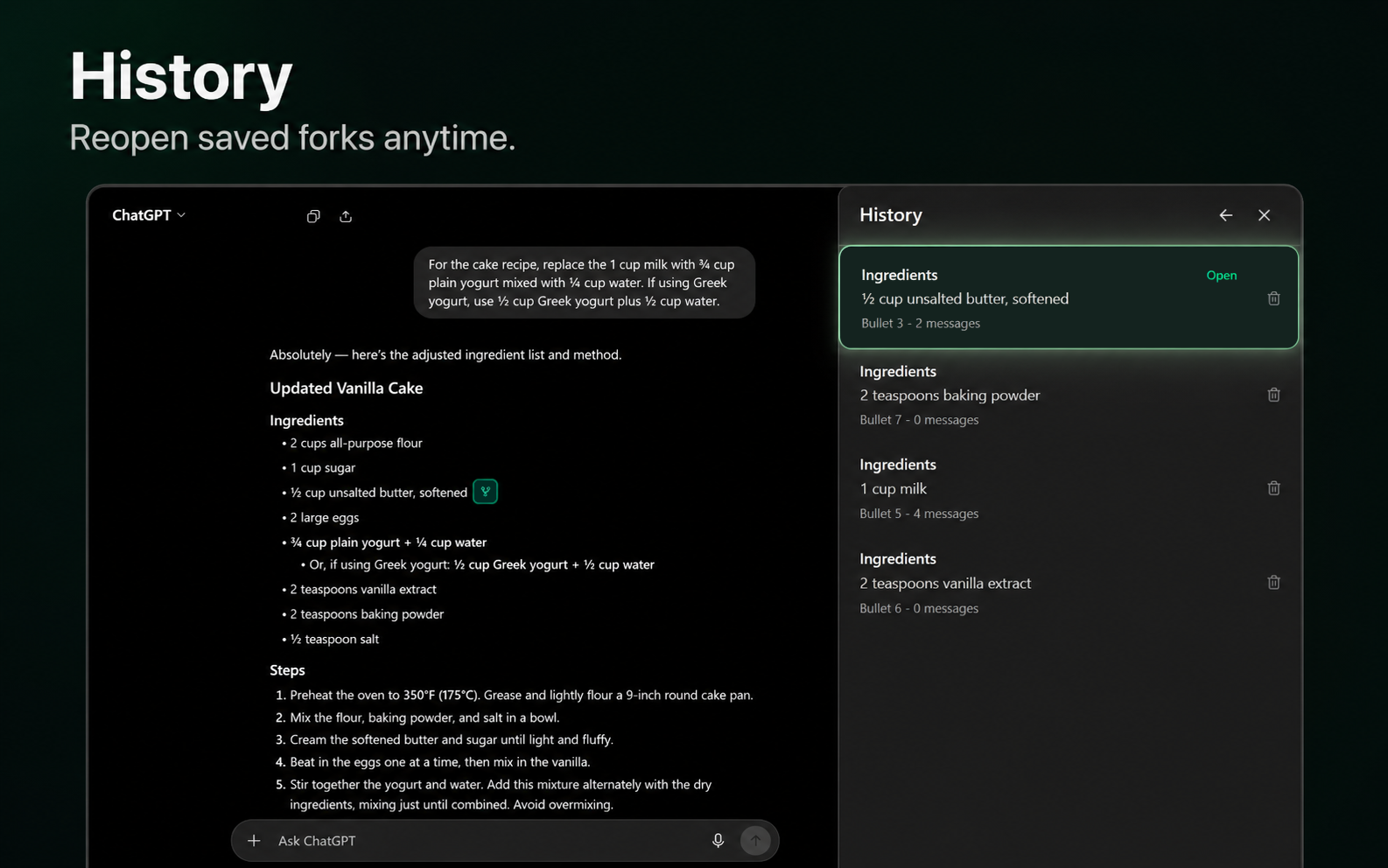
Fork history is stored locally in Chrome, so you can return to previous side conversations and manage saved forks from the extension.
ChatGPT Fork is designed for the moments when you want to ask “what about this?” without sending the entire conversation down a different path.